¶ Important to note
Baldur’s Gate 3 engine uses various texture ‘formats’ while utilizing a wide range of ‘compression types’. This can be confusing because there are lots of moving parts and nowhere is it explained how exactly the game handles these texture ‘formats’ and ‘compression types’.
First and foremost, it is important to disclose the difference between ‘format’ and the actual file type that the textures are saved as - all textures outside of Virtual Textures are various types of .DDS (DirectDrawSurface) files. When we say format, we mean exclusively to refer to how the game engine interprets the data stored in the .DDS file. This is usually denoted in the name of the file (e.g., ‘_HMVY.DDS’ or ‘_NM.DDS’), however it is possible to determine by other methods.
Secondly, it is important to note that the types of compression are different (usually*) depending on what the texture is being used for.
*I say ‘usually’ as many textures share the same compression type, but this is not guaranteed
¶ Texture formats
For the sake of orgnaisation we will be catagoriing BG3 texture formats into two styles, “Skin” and “Hardsurface”.
Some formats in these groups will share identical suffixs to formats in other groups but have differnt use cases, in this event finding out what format an image actualy is can be difficult. To identify what format an image belongs to its best to look at it “in situ”, look to where the image is being used and try to interpolate its use based on context. If its being used in a skin material, well its probably part of the Skin group.
¶ Maps
The most common texture maps used by BG3 are:
| Map Type | Name | Purpose | Used In |
|---|---|---|---|
| BM | Basecolor Map | Stores the base color/albedo of the surface | Hardsurface |
| NM | Normal Map | Stores surface normal information for lighting detail | Hardsurface/Skin |
| PM | Physical Map | Combines Metallic, Roughness, and Ambient Occlusion data | Hardsurface |
| MSK | Mask Map | Defines different material regions (relevant for dyeing) | Hardsurface/Skin |
| CLEA | Cavity/Hair/Makeup/AO Map | Stores cavity, hair, makeup, and ambient occlusion data | Skin |
| HMVY | Hemoglobin/Melanin/Vein/Yellowing Map | Stores skin pigmentation and subsurface scattering data | Skin |
| CTLO | Cavity/Thickness/Lips/AO Map | Dragonborn-specific skin map (replaces CLEA) | Dragonborn Skin |
| DMSK | Decorative Mask / Accent Mask | Defines areas for decorative details and accent colors | Dragonborn Skin |
¶ Objects (Hardsurface) texture map breakdown
| Map Type | Red Channel | Green Channel | Blue Channel | Alpha Channel | DDS Compression |
|---|---|---|---|---|---|
| BM | Color Intensity Red | Color Intensity Green | Color Intensity Blue | Alpha Intensity | BC1/DXT1 Linear |
| NM | Not used | Y Axis Normals | Z Axis Normals | X Axis Normals | BC3/DXT5 Linear |
| PM | Metallic Intensity | Roughness Amount | Ambient Occlusion | Not Used | BC1/DXT1 Linear |
| MSK | Channel makeup is largely irrelevant. Colored mask for segments of different material colors. | Not Used | BC1/DXT1 Linear | ||
Note: BM can be either full color or grayscale (B/W).
¶ Skin texture map breakdown
| Map Type | Red Channel | Green Channel | Blue Channel | Alpha Channel | DDS Compression |
|---|---|---|---|---|---|
| CLEA | Cavity Map | Hair | Makeup (lipstick) | Ambient Occlusion | BC3/DXT5 Linear |
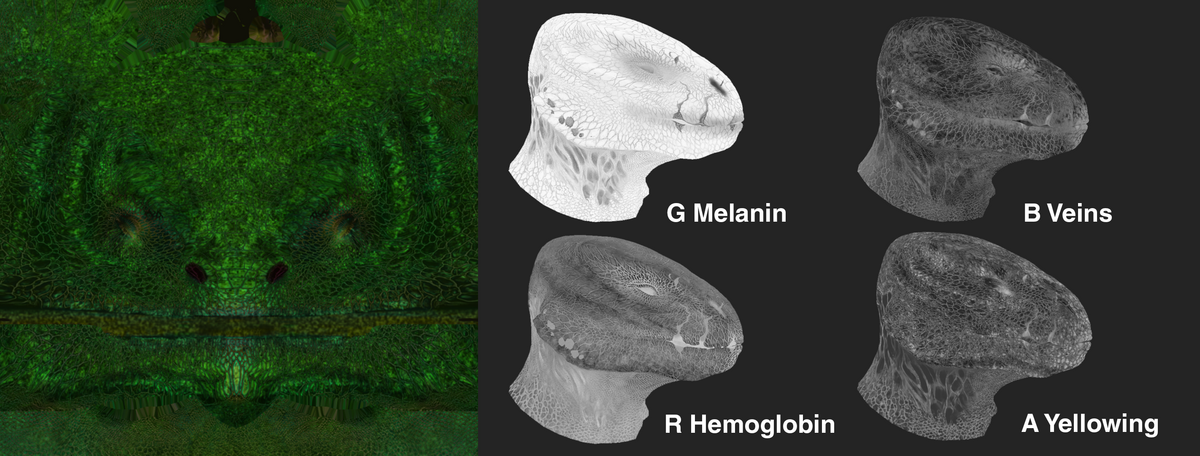
| HMVY | Hemoglobin | Melanin | Vein | Yellowing | BC3/DXT5 Linear |
| NM | Not used | Y Axis Normals | Z Axis Normals | X Axis Normals | BC3/DXT5 Linear |
| MSK | Non-Skin | Melanin Removal | Mucous Map | Not Used | BC1/DXT1 Linear |
¶ DGB texture map breakdown
-
For Dragonborn Skin
- CTLO (Called CLEA in Shader, CLEA texture itself for Dragonborn is rudiment and not used for anything!)
Format: BC3/DXT5 Linear
C - Cavity map - RED channel
T - Thickness - GRN channel
L - Lips - BLU channel
O - Ambient occlusion - ALPHA channel
Note:
Thickness - it’s inverted compared to one from Marmoset and much lighter
AO - it’s much whiter then one you will bake in Marmoset or Substance, so adjust them if you want to mix with yours- NM
Format: BC3/DXT5 Linear
RED channel - UNUSED BY BG3 ENGINE STORED IN ALPHA
GRN channel - Y Axis Normals
BLU channel - Z Axis Normals
ALPHA channel - X Axis Normals
Note:
To convert a “regular” tangent DX normal map to BG3, put the Red channel into Alpha channel and set Red channel to black- HMVY
Format: BC3/DXT5 Linear
H - Hemoglobin - RED channel
M - Melanin (pigment amount) - GRN channel
V - Veins - BLU channel
Y - Yellowing - ALPHA channel
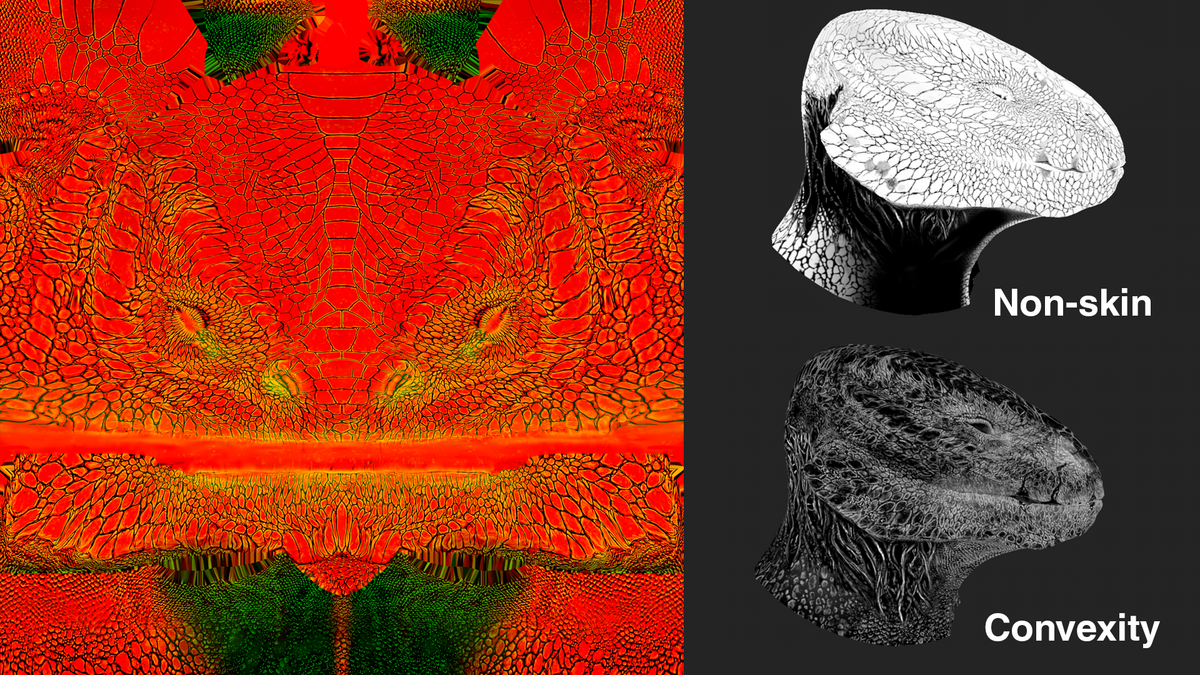
- MSK (Called Cancel MSK in Shader)
Format: BC3/DXT5 Linear
RED channel - Non-skin (horns, scales, any keratin parts is white, soft skin - black)
GRN channel - Convexity map
BLU channel - Emty black for heads ( white used for nails in body textures)
ALPHA channel - Not Exist
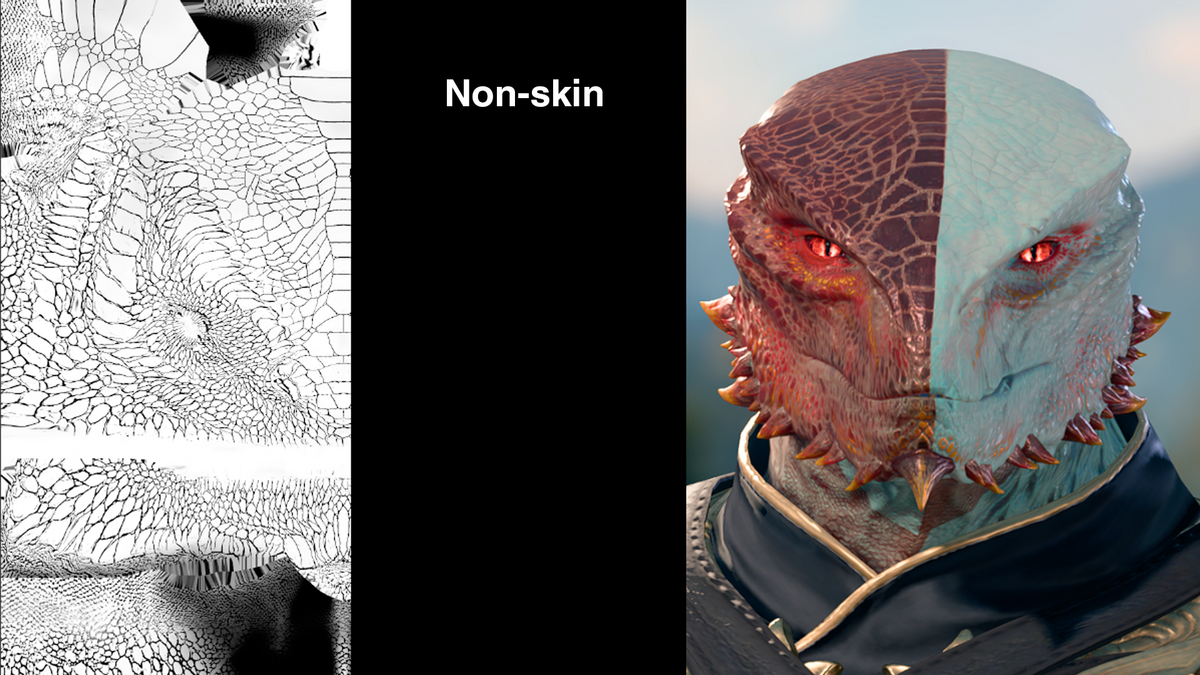
- DMSK (Accent Mask)
Format: BC3/DXT5 Linear
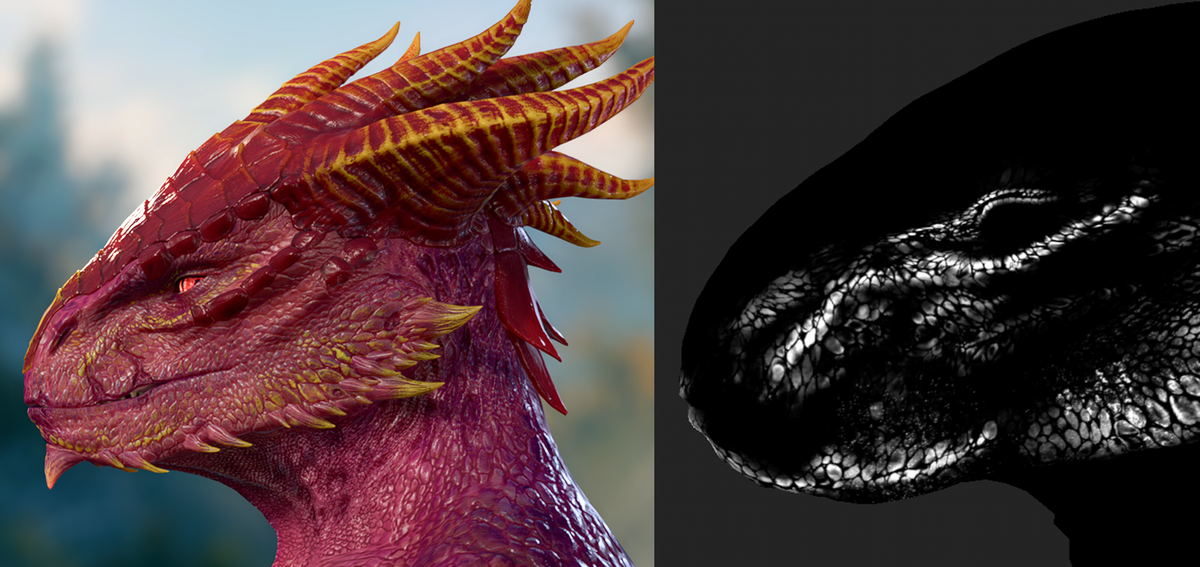
RGB - every channel is decorative mask (trough them you make guilded mask, add details, aka accent masks)
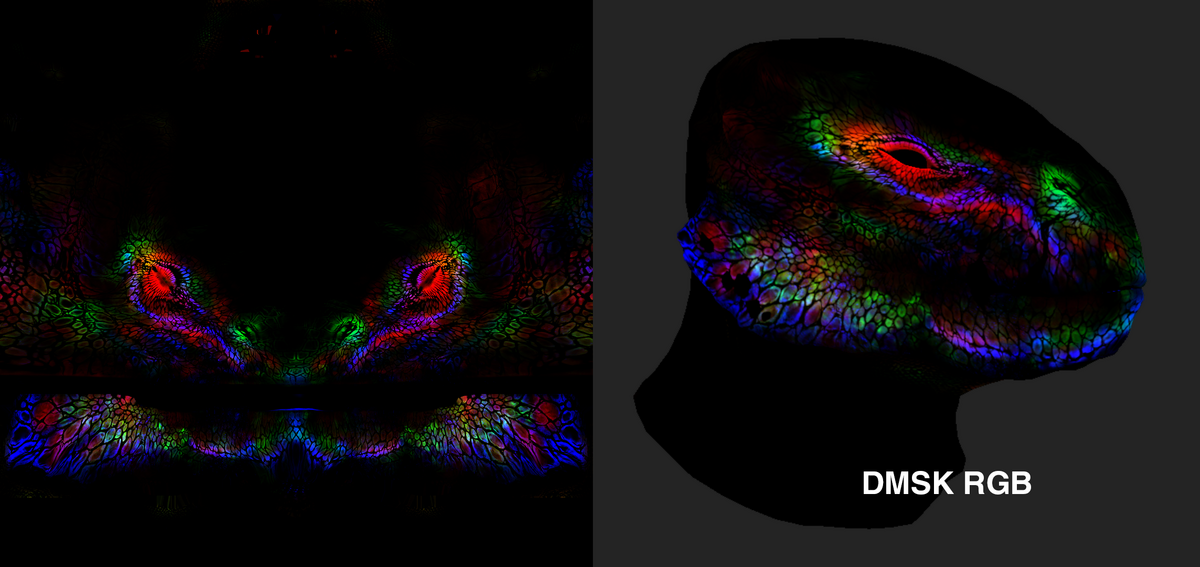
In the picture you could see DMSK blue channel as yellow guilding:
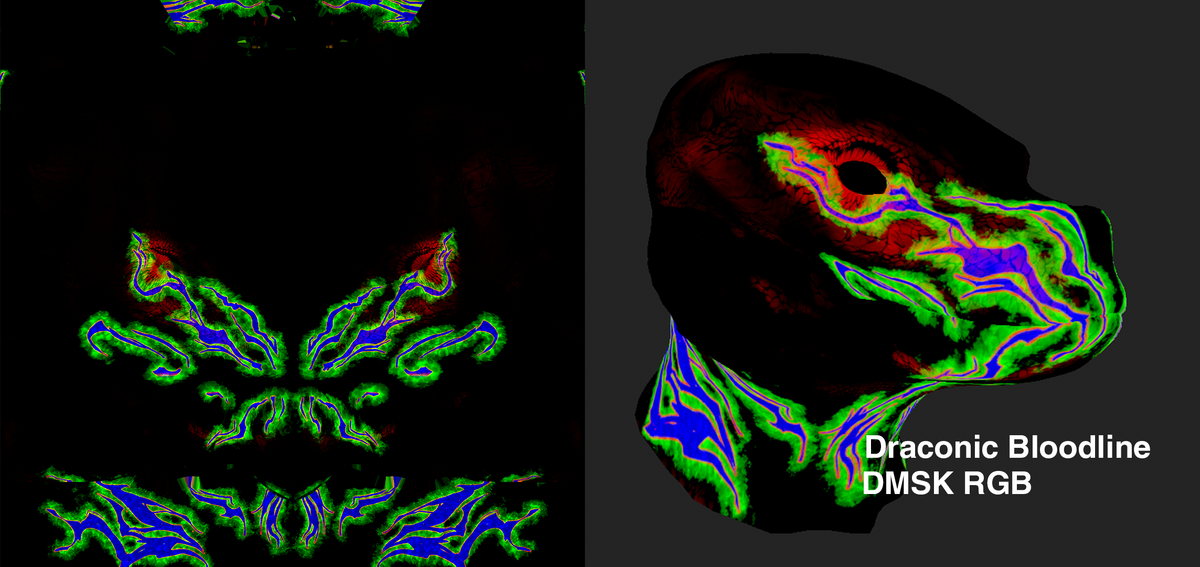
- Draconic Bloodline DMSK (Accent Mask)
Format: BC3/DXT5 Linear
RGB - every channel is draconic bloodline decorative mask - they will replace DMSK if gamer choose the DB subclass, keep it in mind
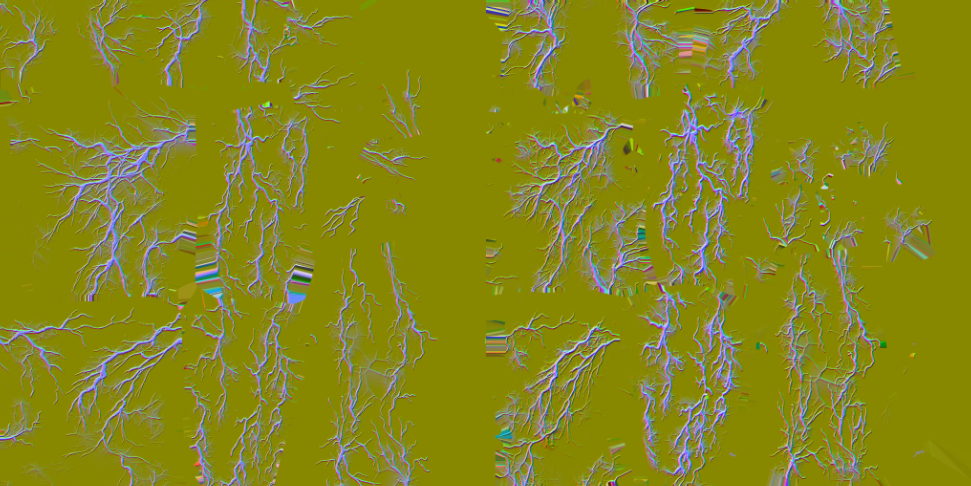
- Illithid MSK
Format: BC3/DXT5 Linear
RED channel - X Axis Normals
GRN channel - Y Axis Normals
BLU channel - Mask
ALPHA channel - Not Exist
Note:
For head it is 1x1 ratio image, for body it is 1x2. If you have any UV parts out of 1x1 bot by 1, this parts will take info from 2nd part of texture
Here example how you could use DGB textures in Substance Painter with Volno’s Substance Skin ShaderVolno’s Substance Skin Shader